clearMDM Data Source Partitioning Settings
This article, Data Source Partitioning Settings, discuses how to use the Partitioning setting for Cross Object Merge. When the setting is set to ‘True’, the Data Source represents a subset of records within the Source Object (External) and Target Object (Internal). A single field on the object must be used by all Data Sources related to the object.
In the example below, we are going to look at Cross Matching and Merging between an External Object and an Internal Object, using the Partitioning Setting.
Data Sources Partitioning Setting
The Partitioning setting allows for a field and value to be specified on the Source Object, so that when the Matching and Merging functions run, only records with that value are processed.
- Navigate to the MDM Settings Tab.
- Select Data Source Settings (in this example we will use Ticketing Customers (External) and PersonAccounts.
- Edit the Data Source (PersonAccounts).
- The Partitioning Settings are found at the bottom of the page.
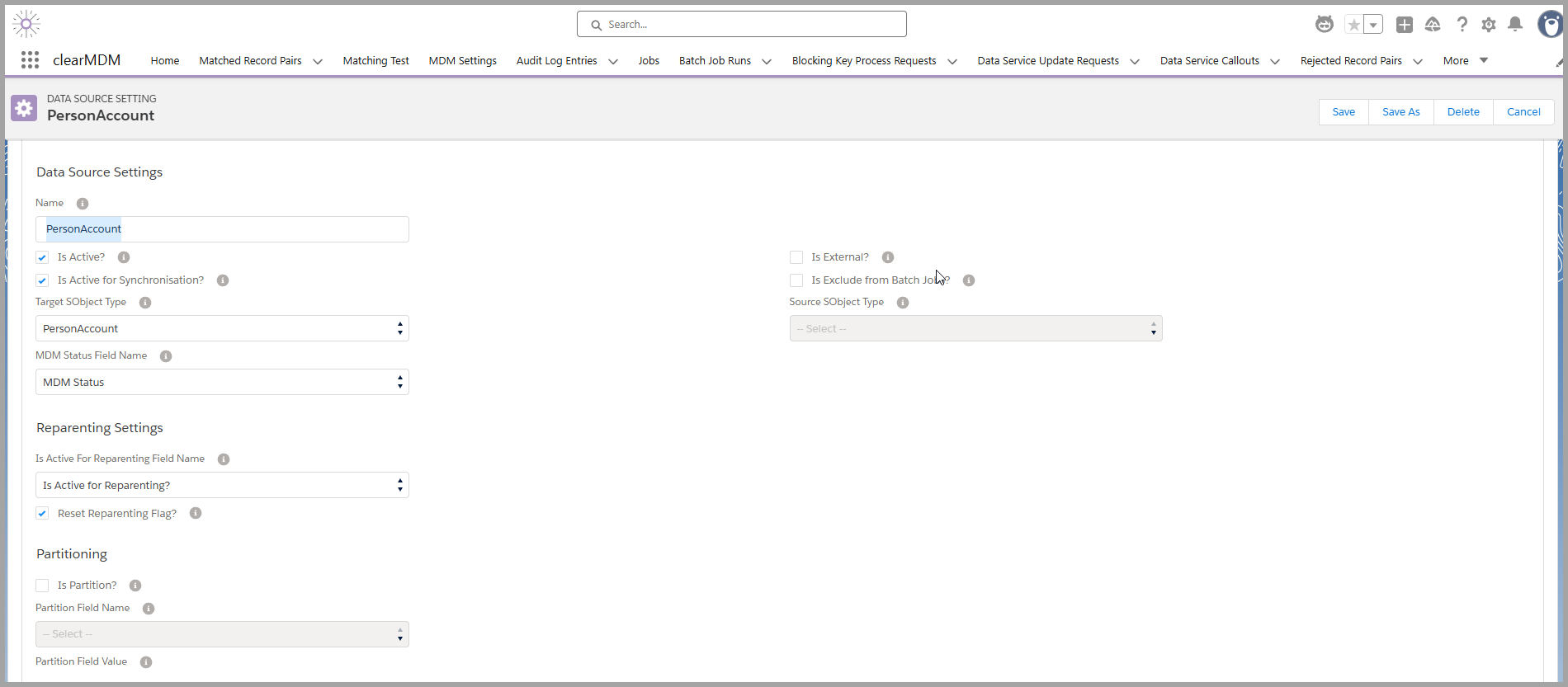
We are going to set the Partition field to be ‘City’ and the Partition Field Value ‘London’.
- Select the checkbox ‘Is Partition?’ to TRUE.
- Select the Partition Field Name ‘Billing City’.
- Enter the Partition Field Value to ‘London’.
- Select Save.
Now, we need to set the same in the External Data Source (Ticketing Customers).
- Edit the Data Source (Ticketing Customers).
- Select ‘Is Partitioning?’ to TRUE.
- Select the Partition Field Name ‘City’ (this is the mapped field to PersonAccounts Billing City).
- Enter the Partition Field Value to ‘London’.
- Select Save.
What this means in theory, is any external Ticketing Customer records that are created and have a City Value of London, they will only Match and Merge to the relevant PersonAccount when the Billing City is set to London, creating a Golden Record. If London is not set, then nothing happens.
The demo below shows how to setup the Partitioning settings.
To find out more about Partitioning Settings, please do not hesitate to contact us at support@clearmdm.com.
Article last reviewed: 2026-01-28